
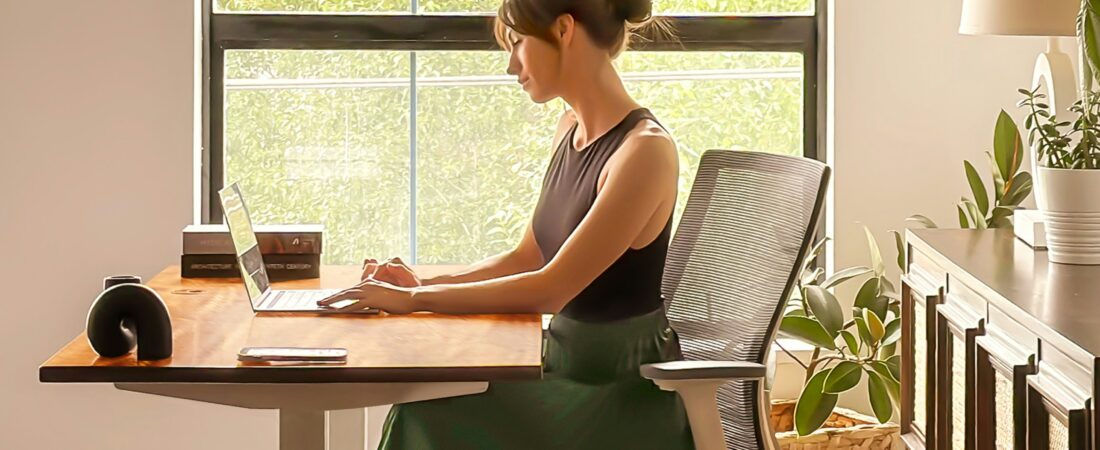
Why your back hurts after sitting all day — and exactly how to fix it
Twelve years in hospitality gave me chronic back pain. A desk job gave me a new version of it. Here are the five fixes the research keeps pointing to — including the free one that matters most, and the one product on this site I am using right now.
I spent twelve years working in hospitality — day shifts, overnight shifts from age twenty, always on my feet. By my mid-twenties I had chronic pain in my back, legs, and shoulders that massage, chiropractic care, and acupuncture could not fully fix.
When I moved to desk work, I expected the back pain to improve. Instead, a new version of it appeared. Different job, same suffering. That is when I started seriously researching why your back hurts after sitting all day — and more importantly, what actually fixes it.
You sit down to work, and by the end of the day your back is stiff and sore.
- A lower back that aches or stiffens after hours of sitting
- That jolt of tightness the moment you stand up
- Neck and shoulders pulling tight from leaning toward the screen
- The feeling that you have tried things, and nothing has stuck
How I can help: Five fixes the ergonomics research keeps pointing to — including the free one that matters most — starting with the $30 lumbar cushion I use on my own chair.
Why you can trust me: Twelve years in hospitality, and then the same pain at a desk. The lumbar cushion in Fix 1 is one I actually own and use right now. I am honest about the rest — what I have tried, and what I am still figuring out.
This post is the result of that research. Here is what is actually happening to your back when you sit, and the five fixes the ergonomics literature consistently points to. Not all of them require buying anything — Fix 4 in particular costs nothing, and it might matter more than everything else combined.
Why does sitting cause back pain?
Your body was never designed to sit for eight-plus hours a day. When you sit — especially in a slouched position — a chain reaction of physical stress happens to your spine and muscles. There are three main mechanisms.
1. Your lumbar spine loses its natural curve
Your lower back has a natural inward curve when you are standing. When you sit — especially when you slouch — this curve flattens or reverses. That puts much more pressure on the discs between your vertebrae. Over hours, this pressure adds up and your back starts to ache. Research has consistently shown that disc pressure is significantly higher in seated postures than in standing.
2. Your hip flexors tighten up
When you sit for hours, the muscles at the front of your hips shorten and tighten. When you finally stand up, these tight hip flexors pull your pelvis forward, forcing your lower back to arch unnaturally. This is why you feel stiffness right when you stand up from a long sitting session — and why a desk job can leave your back feeling worse than physical work.
3. Your core muscles switch off
Your core muscles are supposed to constantly support your spine. But when you are sitting in a chair with a backrest, your core gets lazy and stops doing its job. Over time, weak core muscles mean your spine has less natural support — which leads to more pain even outside of sitting.
Quick check right now: Look at how you are sitting as you read this. Is your lower back rounded? Are your shoulders hunched? Is your chin jutting forward toward the screen? Most people reading this are doing at least two of those three things.
Fix 1 — Add proper lumbar support
The single fastest fix for lower back pain from sitting is proper lumbar support. Most office chairs have lumbar support that is either in the wrong position or not firm enough. A dedicated lumbar cushion placed at the small of your back maintains your spine’s natural curve — taking pressure off your discs immediately.
If you are in the market for a whole new chair, look for one with adjustable lumbar built in — see my guide to the best ergonomic chairs for back pain. But a $30 cushion on your existing chair is the fastest way to get relief without spending hundreds.
Everlasting Comfort Lumbar Support Pillow
Why it is my top pick: This is the lumbar cushion I am using on my own desk chair right now. I bought it after writing the chair guide and realising the cushion was the cheaper, faster fix while I figured out whether I wanted to upgrade my whole chair. It has been comfortable from day one. The memory foam contours to the natural curve of my lower back, and the adjustable strap holds it firmly in place even when I shift around.
It is one of the most consistently recommended lumbar cushions on Amazon for a reason. The build is solid, it stays where you put it, and the cover is washable.
- Memory foam contours to your spine
- Adjustable strap fits any chair
- Washable cover
- Under $30 USD
- Honest disclosure — I am using this one
- Single size only — may feel large for shorter users
- Memory foam can feel firmer than expected at first
ComfiLife Lumbar Support Back Pillow
When to pick this instead: The ComfiLife is a strong alternative to the Everlasting Comfort if you run warm at your desk. It uses a breathable 3D mesh cover that lets air through, which makes a real difference in summer or in warm offices. The dual adjustable straps also keep it firmly in place if you tend to shift around a lot.
- Breathable 3D mesh cover
- Dual adjustable straps
- Firm supportive foam
- Better for hot environments
- Slightly firmer than the Everlasting
- Slightly more expensive
Fix 2 — Raise your monitor to eye level
Your monitor screen should be at roughly eye level when you are sitting up straight. The top of the screen should be at or just below your eye line. If it is lower than that, you are slowly building neck and upper back tension every minute you spend at your desk — and over years, that adds up to chronic pain in places you did not even realise were related to your desk setup.
A simple monitor stand is one of the highest-value, lowest-cost ergonomic upgrades you can make. If you want a more adjustable solution, see my sit-stand desk guide for desks that let you shift between sitting and standing — but for most people, a $25 riser solves the immediate problem.
Amazon Basics Adjustable Monitor Stand Riser
Why it is the value pick: Most highly-rated monitor risers cost $35-60. The Amazon Basics version does the same job for under $25 — adjustable height, a built-in storage shelf underneath for keeping the desk tidy, and support for up to 22 lbs of monitor or laptop. It is not a premium piece, but for the purpose of getting your screen to eye level, it works perfectly well.
- Multiple height settings
- Built-in storage shelf
- Supports up to 22 lbs
- Under $25 USD
- Basic build quality — not premium
- Fixed once assembled (no on-the-fly adjustment)
Fix 3 — Use a proper seat cushion
If your chair seat is too hard or the cushioning has flattened over the years, your pelvis tilts backward — which automatically rounds your lower back. A good seat cushion corrects your pelvic tilt, which then naturally improves your entire spinal posture without you even thinking about it.
Lumbar cushions and seat cushions address two different problems. The lumbar cushion supports your back against the chair backrest. The seat cushion corrects what is happening at your pelvis. They work together — but if you can only afford one, start with lumbar (Fix 1).
Everlasting Comfort Memory Foam Seat Cushion
Why it pairs well with Fix 1: Same brand as my lumbar cushion, which means the foam density and build quality are consistent. The cushion is shaped to relieve pressure on the tailbone and sciatic nerve while gently correcting pelvic tilt, which is exactly what is needed for desk-related lower back pain. The cover is removable and washable.
- Memory foam — supportive without being hard
- Tailbone cutout reduces pressure
- Washable cover
- Works in office chairs and car seats
- Around $35 USD
- Adds height to your seat — adjust your chair lower to compensate
- Not as firm as some users prefer
Fix 4 — Move every 30–45 minutes (free)
No product can fix the damage done by never moving. Your spinal discs need movement to stay hydrated and healthy — they receive nutrients through compression and decompression, not through blood flow. When you sit still for hours, the discs in your lower back literally start to dry out. Movement is the fix.
Set a phone alarm for every 45 minutes to stand up, stretch, and walk for 2-3 minutes. It sounds simple — but the research consistently points to this as one of the highest-impact things you can do for desk-related back pain. It costs nothing.
A few movements that help most: a gentle standing back bend, a hip flexor stretch (one knee on the ground, the other foot forward, lean gently forward), and shoulder rolls. You do not need a gym. Just stand up and do these at your desk.
Fix 5 — Core strength and foam rolling (5–10 minutes a day)
Long-term back pain prevention comes from a stronger core and looser hip flexors. The two work together — a strong core supports your spine when you are sitting, and rolling out tight back and hip muscles undoes the damage that hours of sitting has already done.
For core: dead bugs, bird dogs, and planks are three of the most spine-safe exercises commonly recommended by physiotherapists — none require equipment beyond a mat. For tight muscles: a foam roller targets the deep tissue tightness that stretching alone will not reach. Five to ten minutes a day, total.
Gaiam Essentials Premium Yoga Mat
Why this one: A reliable, non-slip yoga mat for floor exercises at home. The Gaiam Essentials is one of the most trusted entry-level mats on Amazon — good grip, good cushion, easy to roll up and store. At 1/4 inch thick, it has enough padding for floor work like dead bugs and bird dogs without being so thick that it is awkward to balance on.
I have owned a yoga mat in the past and the brand honestly did not matter much for basic core work — what mattered was that it was out and visible enough that I would actually use it.
- Non-slip surface
- 1/4 inch (5mm) cushioning
- Includes carrying sling
- Around $25 USD
- Basic — not for serious yoga practice
- May wear faster with heavy daily use
Yes4All High-Density EPP Foam Roller
Why a foam roller belongs in this section: A yoga mat handles the strengthening side. A foam roller handles the release side. After hours of sitting, your hip flexors, glutes, and lower back muscles get tight in ways that simple stretching cannot fully reach. Rolling these areas for a few minutes at the end of the day releases that tightness and is one of the most-recommended at-home tools for desk-related back pain.
The Yes4All EPP roller comes in multiple lengths (12, 18, 24, 36 inches). For most home users the 18 or 24 inch version is the right size — long enough to roll out the full lower back without being so big it is awkward to store. EPP foam is firmer than the cheap blue rollers, which means it actually reaches the deep tissue.
- Firm EPP foam — reaches deep tissue
- Multiple sizes available
- Around $10-12 USD
- Different tool from the yoga mat — both have a place
- Firm rollers are uncomfortable at first — start gently
- Takes practice to use correctly
Your quick-start action plan
If you do these five things, in this order, most people see a meaningful difference within 1-2 weeks:
- Add a lumbar support cushion to your chair — fastest single fix
- Raise your monitor so the top of the screen is at eye level
- Add a seat cushion if your chair seat is hard or flattened
- Set a 45-minute alarm and actually stand up every time it goes off
- Do 5-10 minutes of core work and foam rolling each day — morning is easiest to be consistent with
Frequently asked questions
Why does my back hurt after sitting even in a good chair?
Even a good chair can cause back pain if it is not set up correctly for your body, or if you do not move enough. The most common issues are lumbar support that is in the wrong position, a chair that is the wrong height for your monitor, or simply sitting still for too long. No chair eliminates the need to move — your discs need regular movement to stay healthy regardless of how good your chair is.
How long does it take to fix back pain from sitting?
Most people notice meaningful improvement within 1-2 weeks of fixing their setup. Adding a lumbar cushion typically shows results within a few days. Core strengthening takes longer — most people feel a difference after 3-4 weeks of consistent daily exercise. If you are still in significant pain after 4-6 weeks of consistent fixes, see a physiotherapist.
Is a lumbar cushion or a new chair more important?
Start with a lumbar cushion. A $30 cushion on your existing chair gives you most of the benefit at a fraction of the cost. If you find the cushion is not enough after a month, or your existing chair has other problems (no adjustability, broken mechanism, no armrests), then upgrade the whole chair. My chair guide covers what to look for.
Can sitting cause permanent back damage?
Long-term poor sitting posture can contribute to disc degeneration and chronic muscle imbalances over years. The good news is that most desk-related back pain is caused by posture and muscle issues that are largely reversible with the right setup and movement habits. If you have sharp, radiating, or persistent pain, consult a physiotherapist — desk fixes are not a substitute for medical care when something more serious is going on.
What helped your back the most, Tom?
Honest answer — I am in the middle of fixing this myself. The lumbar cushion I bought (the Everlasting Comfort one in Fix 1) has been the most immediately noticeable change. My posture is better and my lower back feels less tight by the end of a long shift. Long-term, I think the bigger change will be taking regular movement breaks, since after twelve years in hospitality where I never sat still, my body clearly is not designed for hours of stillness. I will update this post as I learn more.
If you have read this far, my free PDF expands the conversation — five things I wish I had tried sooner about body pain, recovery, and the cheap interventions that worked when nothing else did. Free, in your inbox.
If this guide helped, the chair, desk, and surface around it all matter too. Read my guide to the best ergonomic chairs for back pain for the foundation, or the sit-stand desk guide if you want to alternate between sitting and standing throughout the day.
As an Amazon Associate I earn from qualifying purchases. This never influences my recommendations — only products with verified availability and credible reviews make it onto this site. I personally use the Everlasting Comfort lumbar cushion in Fix 1; I have not personally used the other products on this list. Prices may vary.